Your Local Membership Card, Upgraded
Think about the places you visit regularly: your barber, the car wash down the road, your local gym. With Subin, you can get a monthly subscription pass for any of them. Pay once a month, show up whenever you want, and just scan in. No cash, no cards, no fuss.
Here is how it works for you
The old way
You show up, you pay cash or tap your card, and you leave. There is no record of loyalty. No discount for being a regular. You spend just as much on your fifth visit as your first, and the shop doesn't even know your name.
The Subin way
You subscribe to your go-to spots and get a better price because you commit monthly. When you arrive, you just open the app, scan in, and you're done. It's faster, cheaper, and you don't have to think about it every time.
Who is Subin for?
The Subscriber
You want to save money on services you use anyway. Find a spot, buy your pass, and just scan in every time you visit. Simple.
The Merchant
Local business owners who want to lock in monthly income by offering subscription packages to their regulars.
The Cashier
The person at the front desk who scans you in. They use a simple PIN to log in and it takes them about ten seconds to check you in.
The Subin Team
Our team reviews and approves every store before it goes live, so you only see verified businesses on the platform.
How to get started
Getting your first Subin pass takes about two minutes. Here is exactly what you do, from signing up to scanning in for the first time.
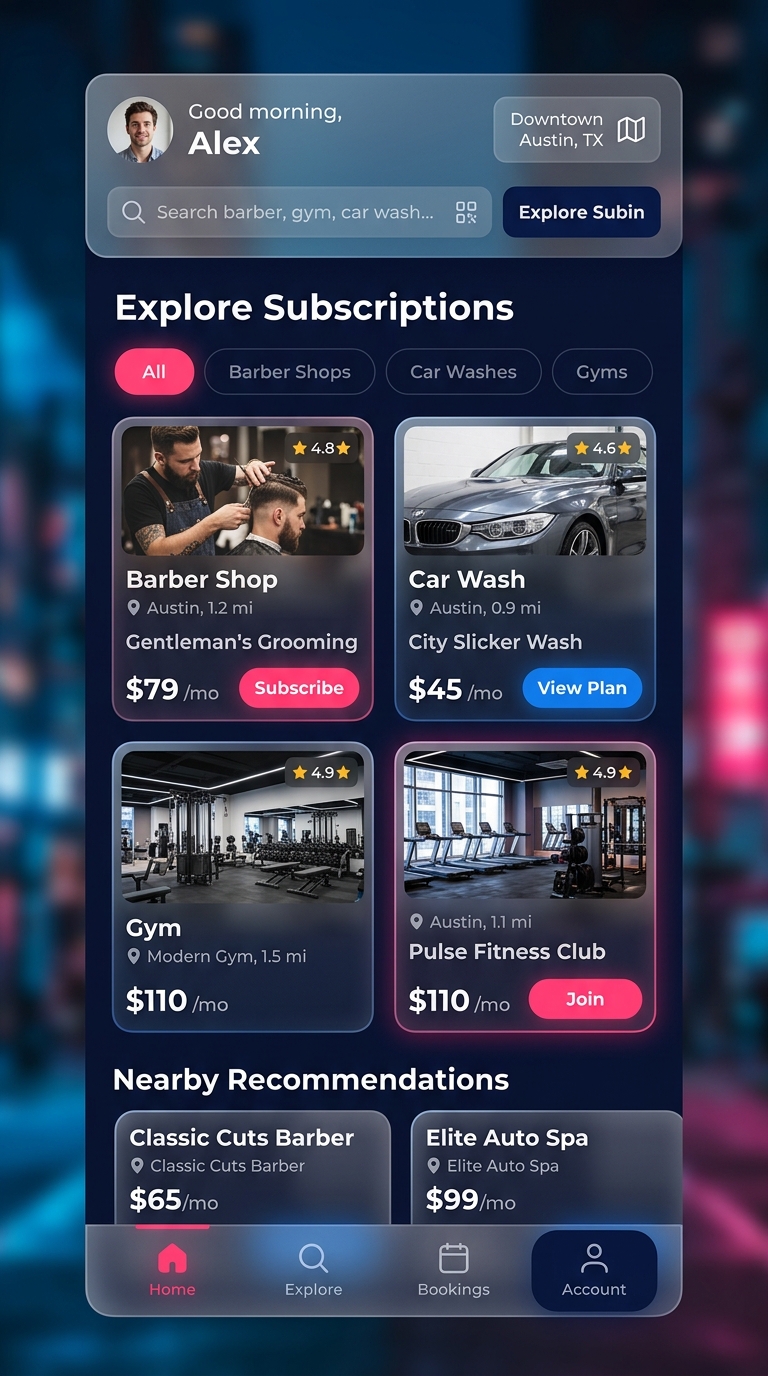 Subin Customer App
Your step-by-step guide
Step 1 of 51. Sign up and load your wallet
Create your free Subin account. Once you're in, you can add money to your Subin wallet so you never need to enter your card details every time. It's one-time setup and you're good to go.
Why you can't screenshot your pass
Your QR code refreshes every 90 seconds. This keeps your pass secure so nobody else can use it. If the cashier scans an old screenshot, it will come up as expired. Just open the live app when you visit, and it will always work.
Share with family
You can add family members to your plan so they can check in without you being there. Just add their email or phone number in your account settings and they'll be connected to your pass.
Send one as a gift
Want to get someone a car wash or gym pass? You can buy any subscription as a gift. They get a claim code on their phone, tap it, and the pass links to their account. Easy birthday present.
Branding and Style Guide
Our Fonts
Sora Bold
We use Sora for headers, titles, and labels. Bold, clean, and hard to miss.
Outfit ExtraBold
Used on landing pages and banners where we need to grab your attention fast.
Plus Jakarta Sans
Used for body copy, descriptions, and all the smaller text inside the app. Easy to read at any size.
Our Colors
Royal Blue
Our main brand color. It stands for trust and stability.
Vibrant Pink
Our accent color. Used on buttons and the things we want you to click.
Emerald Green
Success states, confirmed scans, and money coming in.
Deep Slate
Our main text color and dark background base.
Try Out Our Buttons
Premium Card Style
This is the card style used across the Subin app. It has a soft, layered look and lifts slightly when you hover over it.
Merchant and Staff Guide
If you run a physical shop and want to offer subscriptions to your customers, this section walks you through everything, from setting up your store page to managing daily check-ins.
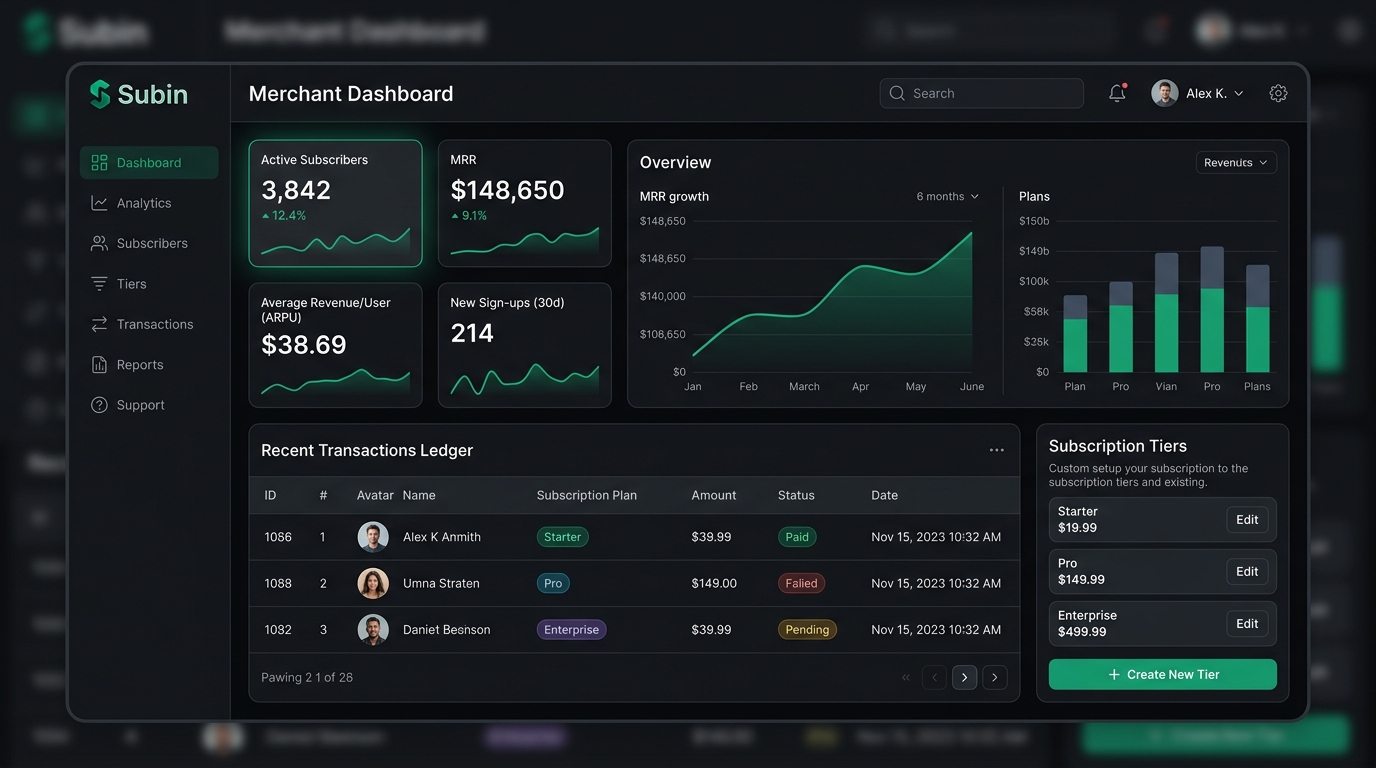 Merchant Dashboard
How to set up your store
Step 1 of 51. Register your business
Create a vendor account and upload your business details. Our team will verify your store before it goes live on the platform so customers know they can trust it.
How the money splits
Every time a customer buys a subscription from your store, the payment splits automatically right away:
Goes straight to your linked bank account. Automatic, no manual withdrawals needed.
Covers card processing, business verification, and keeping the platform running.
Your staff and the scanner
Your front desk staff use a separate, limited version of the app to check customers in. They log in with a PIN you create for them and they only see the scan screen. Nothing else.
- Protected access: Staff cannot see your payout details, revenue graphs, or subscription margins. Their screen is locked to scanning only.
- Fast check-in: When a customer shows their phone, the cashier taps scan, reads the QR code, and confirms the visit in about ten seconds.
- Log cash sales: If someone pays cash instead, your staff can record it in two taps so all your sales stay in one place.
- Works offline too: If the internet cuts out, the scanner keeps working. It saves the check-ins and syncs them automatically once the connection is back.
 Staff Check-in Screen